
Kitchen Sink showcase
Real phone screenshots of the MessageOS Kitchen Sink example app, everything it can do, and where to get the code.
Every message type, in one conversation.
The Kitchen Sink is a small working app for a business whose own system answers its customers. Text it and it sends a menu. Tap a card and that kind of message arrives on your phone, with a line that names the field of the API that made it.
It hears each message as reply.received at a signed webhook and answers with POST /v1/messages. Every hard part of a receiver is in the code, ready to copy.
The repository is public. Clone it, or copy what you need.
- demos
- 10
- actions
- 6
- file kinds
- 4
- dependencies
- 0
What it looks like on a phone
These are real screenshots, taken on an Android phone in a conversation with the Kitchen Sink agent. Each caption names the field or the call behind what you see. Open any of them to see it full size.
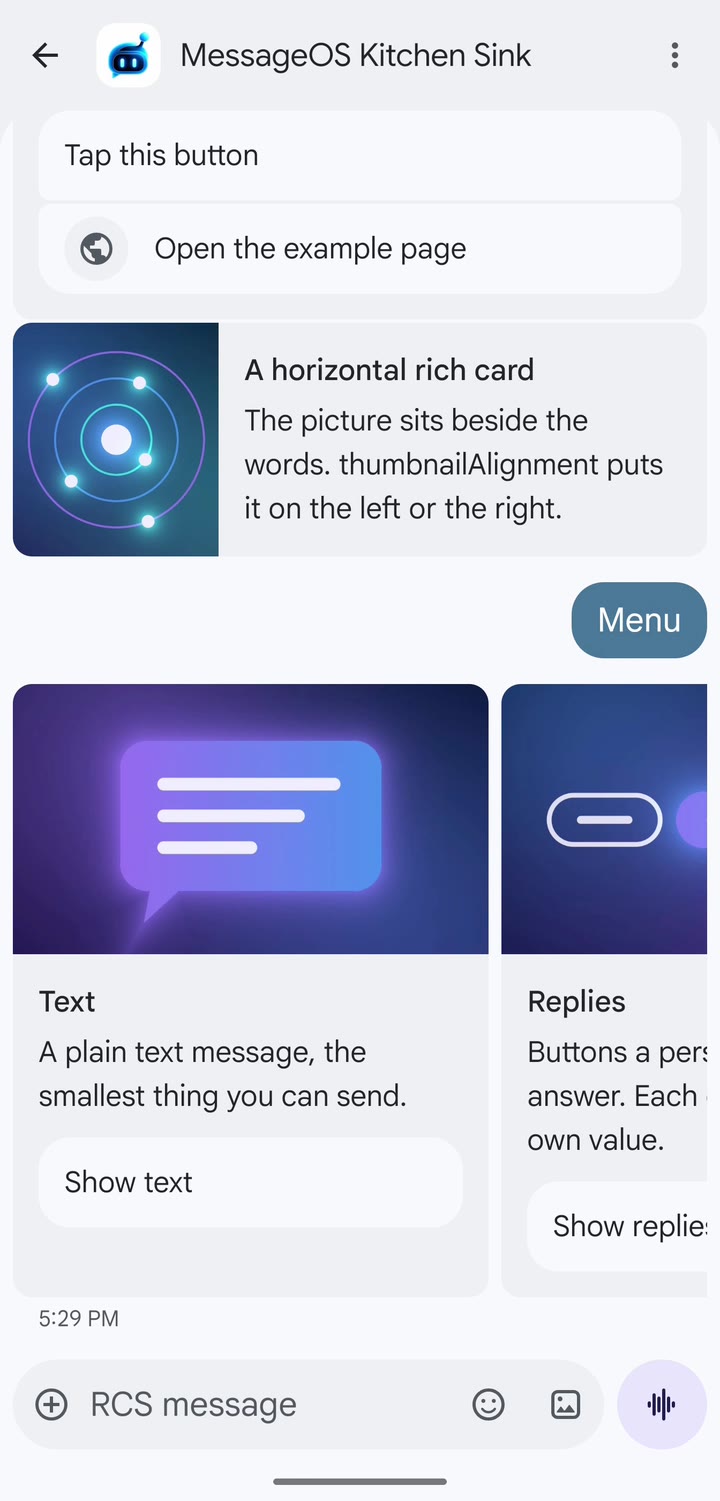
carouselType menu or tap Menu, and the app answers with POST /v1/messages and a carousel, one card for each demo.
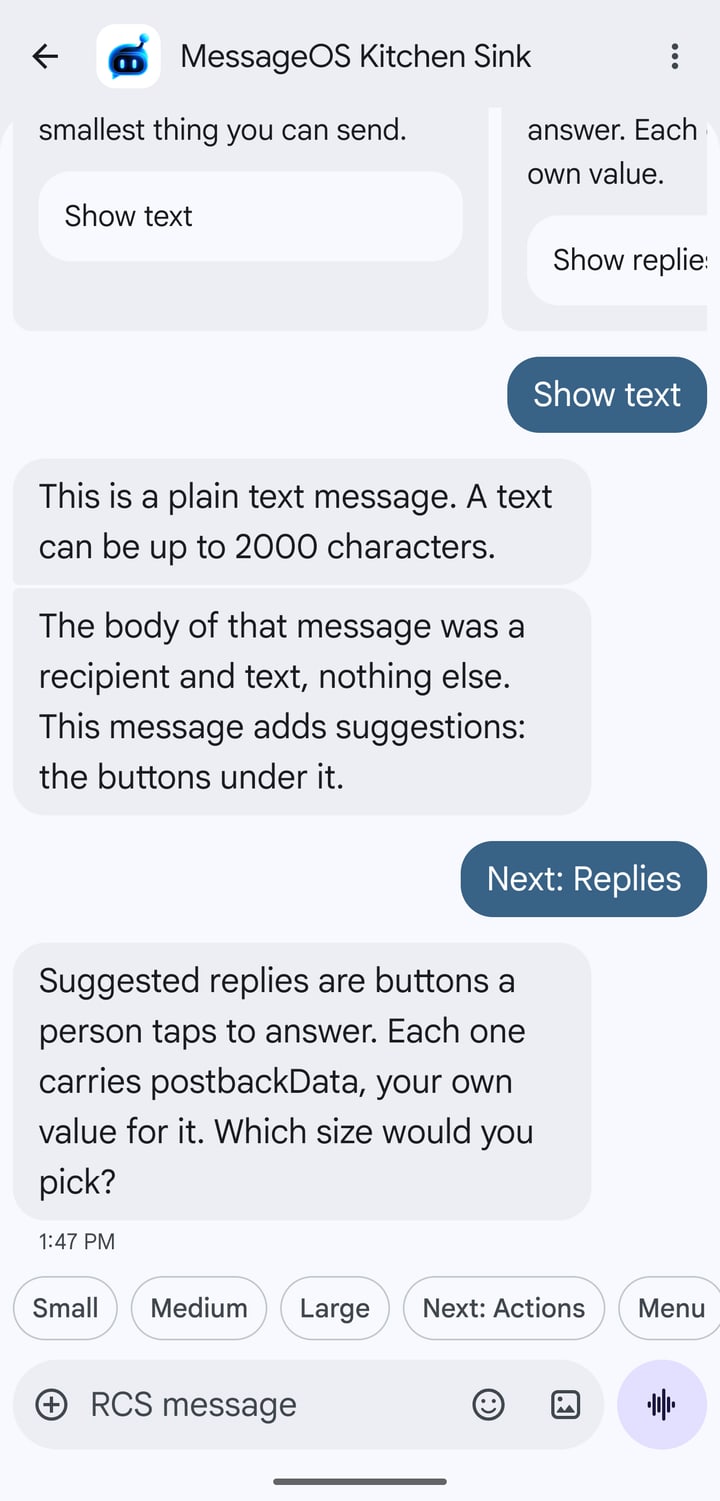
suggestionsA plain text message, then a second that adds suggestions, the tour buttons. A tap on Next: Replies brought a question with suggested replies, each with its own postbackData.
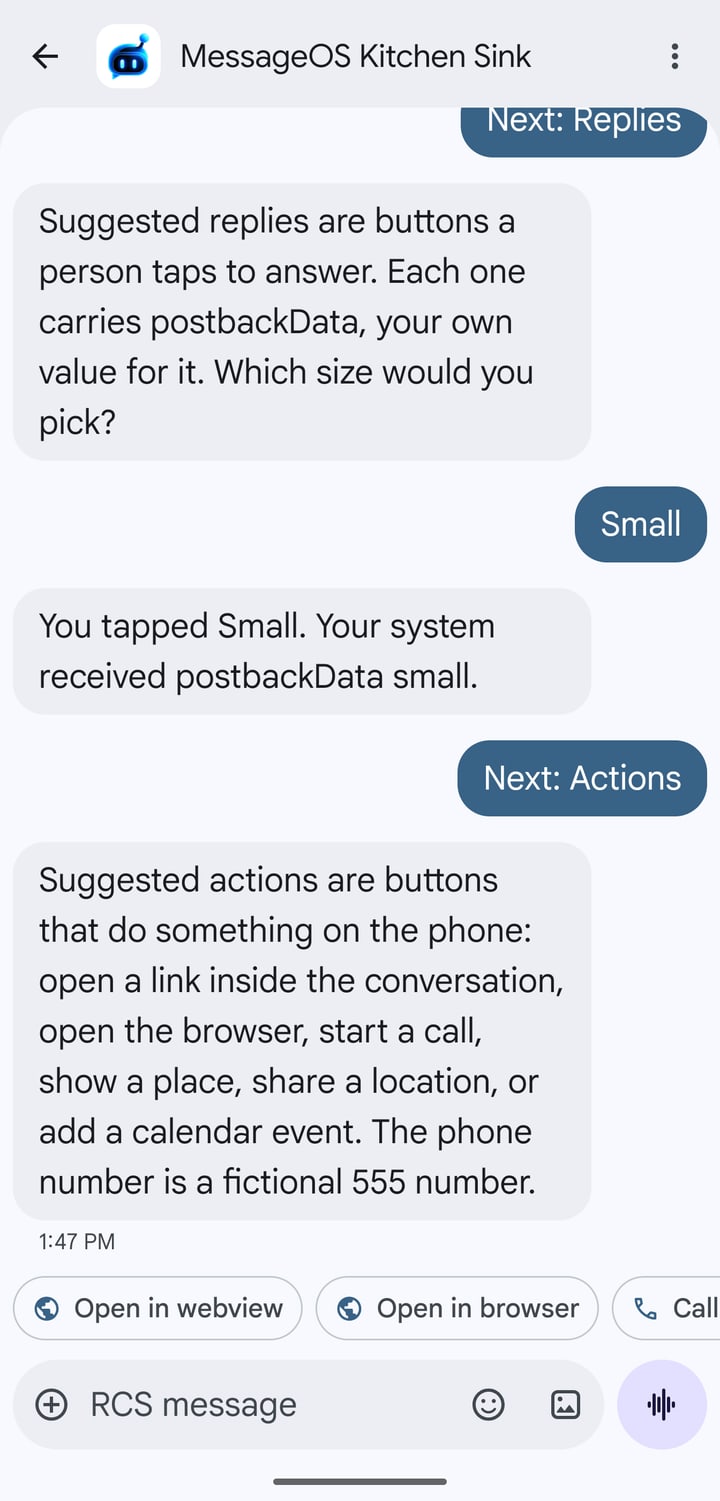
postbackDataThe tap on Small came back as reply.received with postbackData ks:picked:small. The app shows the part after ks:picked:. Under it, suggestions of type openUrl and dial open a page, the browser, and the dialer.
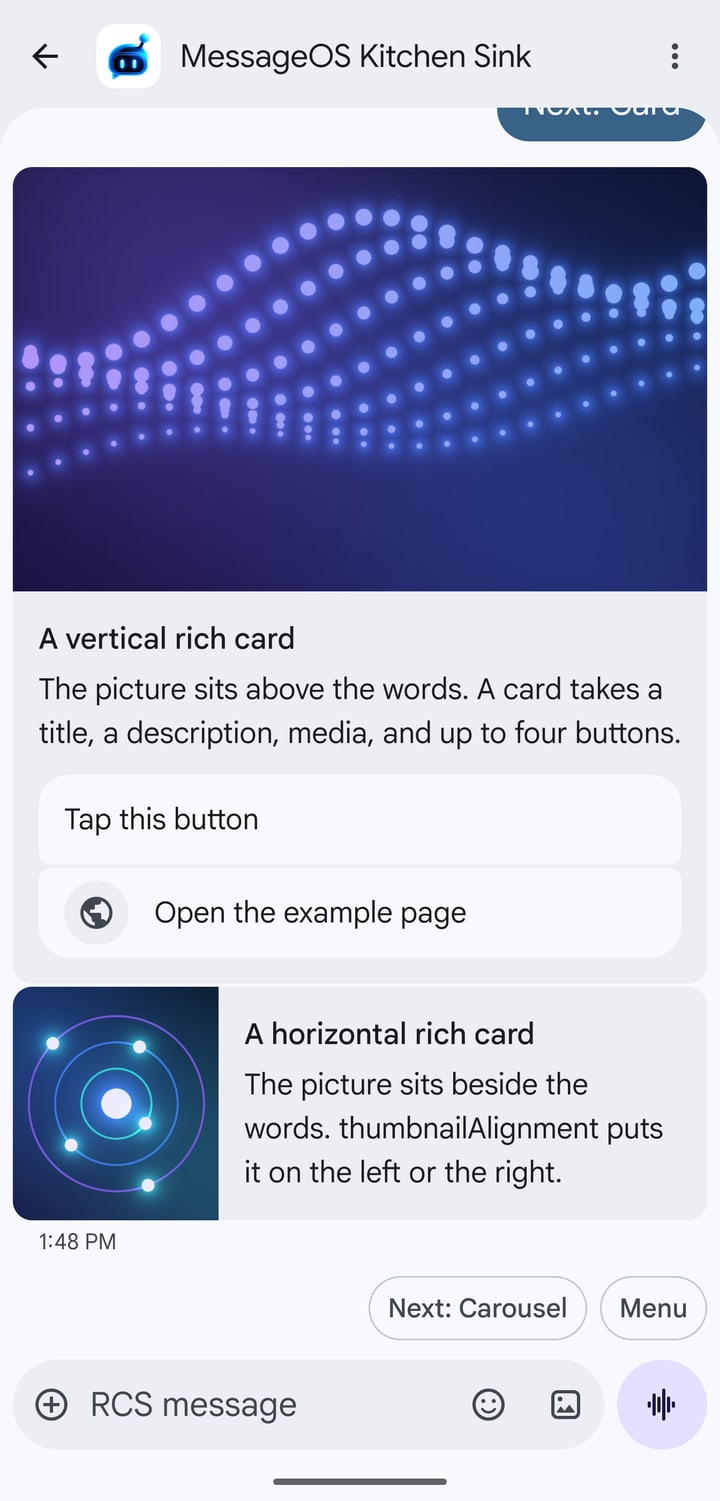
cardA vertical card with a picture, a title, a description, and two buttons, then a horizontal one. card.orientation and card.thumbnailAlignment choose the layout.
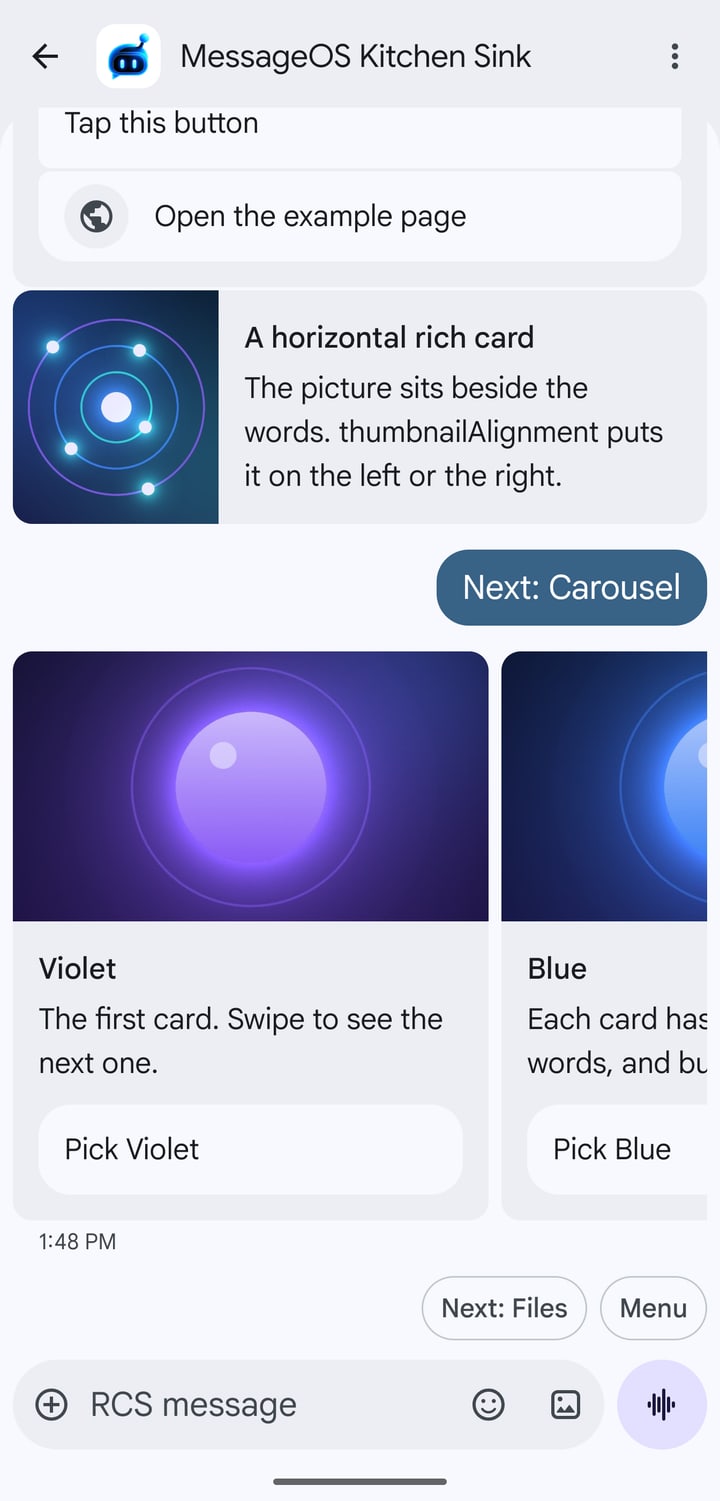
carouselCards to swipe, sent as carousel.cards. Each button names its own item, Pick Violet and Pick Blue, so no two read the same.
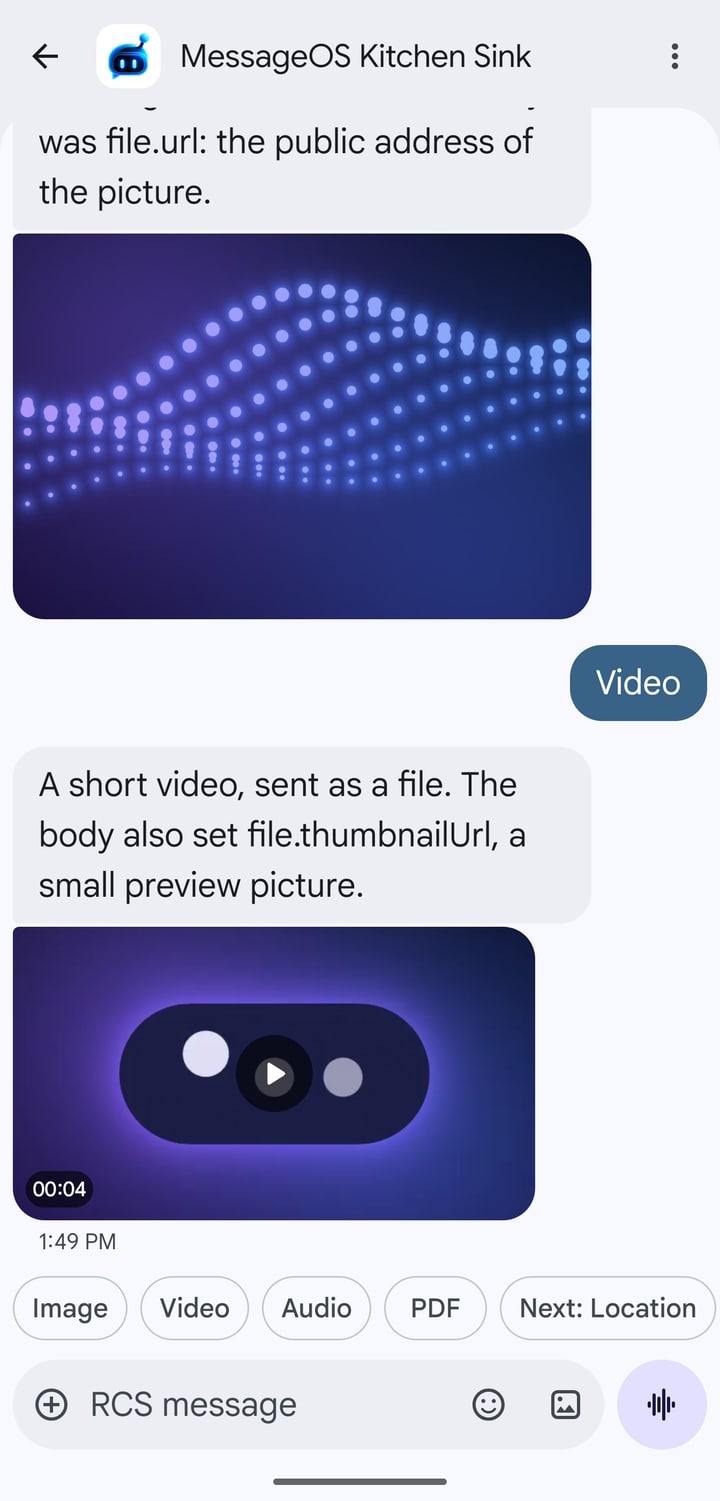
file.urlAn image, then a video whose preview picture is file.thumbnailUrl. Both are sent by their public address.
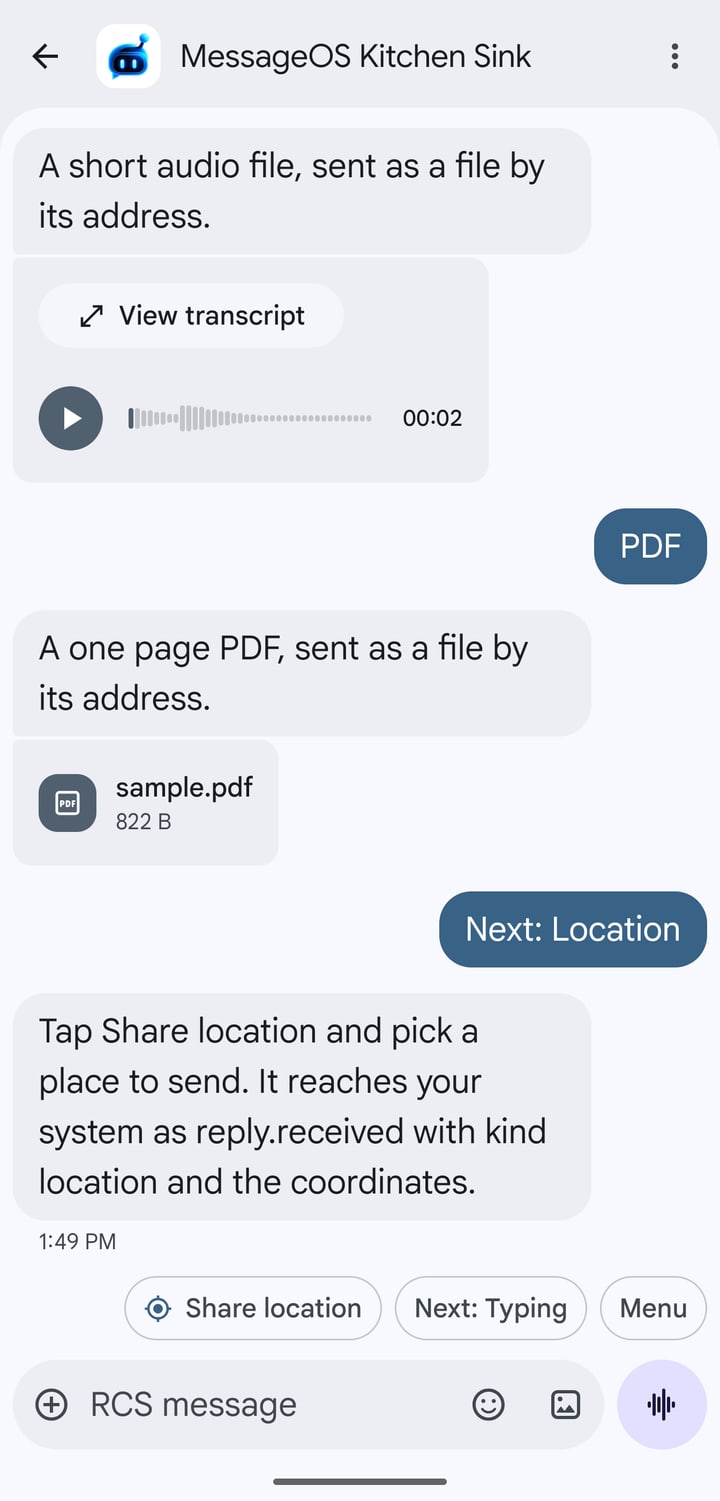
shareLocationAn audio file with a player, a PDF by its name, then a Share location button. The place comes back in reply.received as location.
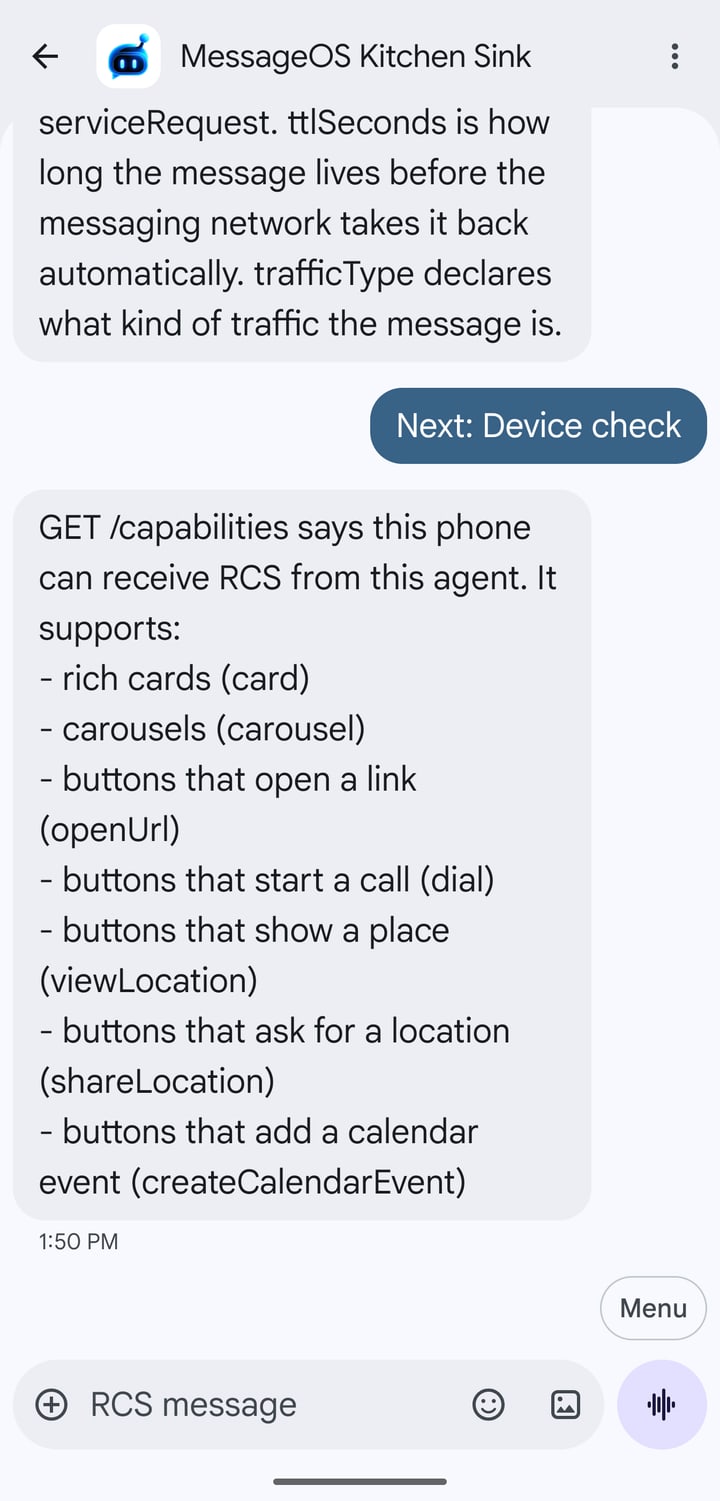
GET /v1/capabilitiesThe app asks what this phone supports and lists the answer. Above it is the end of the Expiry demo, sent with ttlSeconds and trafficType.
Watch it move
Short clips of the same conversation, recorded on the same phone. Nothing plays until you press play, and no clip has sound.
carouselcarousel of demos, and one swipe moves along it.texttext message, then a second that adds suggestions, the tour buttons.postbackDatasuggestions, then the answer to a tap on Small, which carries that button's postbackData.suggestionscardcard arrives, then a horizontal one, each a message of its own.carouselcarousel.cards, swiped from the first to the last.file.urlfile.thumbnailUrl picture until someone plays it.file.urlPOST /v1/typingttlSecondsttlSeconds and trafficType, then the answer of GET /v1/capabilities as a list.What it can do
The app has 10 demos, and it also answers whatever a person sends on their own. These are all of its capabilities, each with the field or the call behind it.
Every kind of message it sends
Text
The smallest body there is: a recipient and up to 2000 characters of text.
textSuggested replies
Buttons a person taps to answer. Each one carries your own value, and the tap brings that value back.
suggestionspostbackDataSix suggested actions
One message with a button for each: open a link inside the conversation, open the browser, call a number, show a place, share a location, and add a calendar event.
openUrldialviewLocationshareLocationcreateCalendarEventRich cards
A vertical card with a picture, a title, a description, and buttons, then a horizontal one with the picture beside the words.
cardorientationthumbnailAlignmentCarousel
Two to ten cards to swipe. Each card's button names its own item, so a person always knows what a tap picks.
carouselFiles
An image, a video with a preview picture, an audio file, and a PDF, each sent by its public address.
file.urlfile.thumbnailUrlTyping indicator
Shows the typing dots while your system works, waits two seconds, then sends the answer.
POST /v1/typingExpiry and traffic type
A message that lives ten minutes before the messaging network takes it back, and that declares what kind of traffic it is.
ttlSecondstrafficTypeDevice check
Asks what this phone supports before sending, and says it back in plain words.
GET /v1/capabilitiesEverything it hears
Typed words
menu, hi, hello, or hey brings the menu. The name of a demo runs it. Anything else is echoed back as You said: and the words.
textTaps
Every button carries a value that starts with ks:, and the app routes on that value, never on the label. A tap on a button it no longer knows gets the menu.
kindpostbackDataA shared location
Answered with the coordinates, any words sent with them, and a View on map button for the same point.
location.latitudelocation.longitudePhotos and files
Answered with what arrived: the media type, the file name, and the caption. The app reads the event and does not download the file.
attachmentsReads what arrived, not the kind
A photo with a caption has kind text, and so does a place sent with words. The app reads attachments and location first, so it never answers the caption and misses the photo.
attachmentslocationkindDelivery and consent events
Each one writes a log line, where a real system would update its records. The delivery reports carry your own reference.
message.deliveredmessage.readmessage.failedcontact.opted_outcontact.opted_inThe engineering it shows
Signature over the raw body
HMAC-SHA256 of the timestamp, a period, and the exact bytes sent, compared in constant time. Nothing parses the body first.
x-messageos-signatureA 300 second window
A timestamp more than 300 seconds off is refused, so a captured request cannot be played back later.
x-messageos-timestampNothing is sent twice
Every send carries a key built from the person's message: ks-reply-, then inboundMessageId, a dash, and a number. A redelivered event, or a second endpoint's copy of it, sends nothing new.
Idempotency-KeyThe same body every time
Nothing in a message comes from the clock, a random value, or the id of the event, so one message always builds the same request.
Answers when the work is done
It sends first and answers 200 after. A send worth another try answers 500, and MessageOS delivers the event again. A send refused for good is logged and the event is accepted.
Silent for keywords
MessageOS answers STOP, START, HELP, and the other keywords itself. The app knows the list and stays silent, typed or tapped.
src/keywords.jsAt most three replies
Every answer names the person's message, and up to three sends can answer one message as replies. No demo sends more.
inReplyToAlways something to tap
Buttons show only under the newest message, so the last message of every answer ends with at least a Menu button. The menu is the one exception: each of its cards has its own button.
Zero dependencies
Plain JavaScript for Node.js 20 or newer. There is nothing to install to run it, and nothing between you and the code.
node:httpnode:cryptofetchAdapts to your agent
It reads what your agent has turned on and skips the rest. Where richMessages, rcsExtras, or replyWindowSeconds is off, it says so in one plain line and does not fail.
GET /v1/whoamiTests that need no network
They post signed events to the real handler and check every request it makes against a stand-in for the API.
npm testA server or a function
One handler for Node's own HTTP server, exported again for a host that runs functions. It reads the exact bytes on both.
src/app.jsHow it works
One message in, one answer out. The whole loop is four steps, and the app is the last two.
- Step 1
A person texts your agent
A typed word, a tap on a button, a photo, or a shared place.
- Step 2
MessageOS posts it to your webhook
A signed event with the words, the tapped value, any file or location, and
inboundMessageId.reply.received - Step 3
The app checks it and decides
The raw body, the signature, and the timestamp come first. Then one function reads what arrived and picks the answer.
src/conversation.js - Step 4
It answers through the API
With
inReplyTo, so the send is a reply, and anIdempotency-Key, so a repeat sends nothing twice.POST /v1/messages
MessageOS does the rest without being asked: it answers the keywords, marks each message read when it arrives, refuses a send to a person who opted out, and reports every message you send as delivered, read, or failed. When your own system answers explains each of these.
What is in the repository
Plain JavaScript with JSDoc types, in a few small files, so each one can be read in a sitting.
- src/app.js
- The handler: the webhook receiver,
/health, and/media/*. - src/signature.js
- The signature and timestamp check.
- src/conversation.js
- Which answer each message gets, and how it is sent.
- src/content.js
- The body of every message, as plain data.
- src/keywords.js
- The words MessageOS answers itself.
- src/messageos.js
- A small client for the API calls the app makes.
- src/config.js
- The five settings, with
.env.exampleto copy. - src/types.js
- The shapes of an event and of a message body.
- src/server.js
- Runs the handler as a server.
- api/index.js
- The same handler as a function.
- tour.json
- The demos in tour order.
- public/media/
- The sample pictures, video, audio file, and PDF.
- scripts/
- The three commands below that call the API.
- test/
- The tests, with a stand-in API in
test-support/. - screenshots/
- The phone screenshots on this page.
- clips/
- The short clips on this page.
- AGENTS.md
- The rules of the example, for a coding assistant.
Four commands take you from a key to a conversation on your phone, and a fifth runs the tests.
GET /v1/whoami and prints what your key and your agent offer.npm run dev restarts it on every change.The example app has the full setup: the key and its permissions, the five settings, and each step in order.
Keep going
Run it against your own agent, and read the receiver in one file.
The whole loop on one page, with a checklist of what must be on.
A request body for each kind of message in the gallery.
Every event, the retries, and a complete receiver in seven languages.
A key, a first message in one call, then the reply.
Every endpoint, with each request in eight languages.
Text it, tap through it, then read the code.
The code is at https://github.com/messageos/Kitchen-Sink-API-Example. The repository is public. Clone it, or copy what you need.